What to Include on an Author Website (2026)
· 10 min read
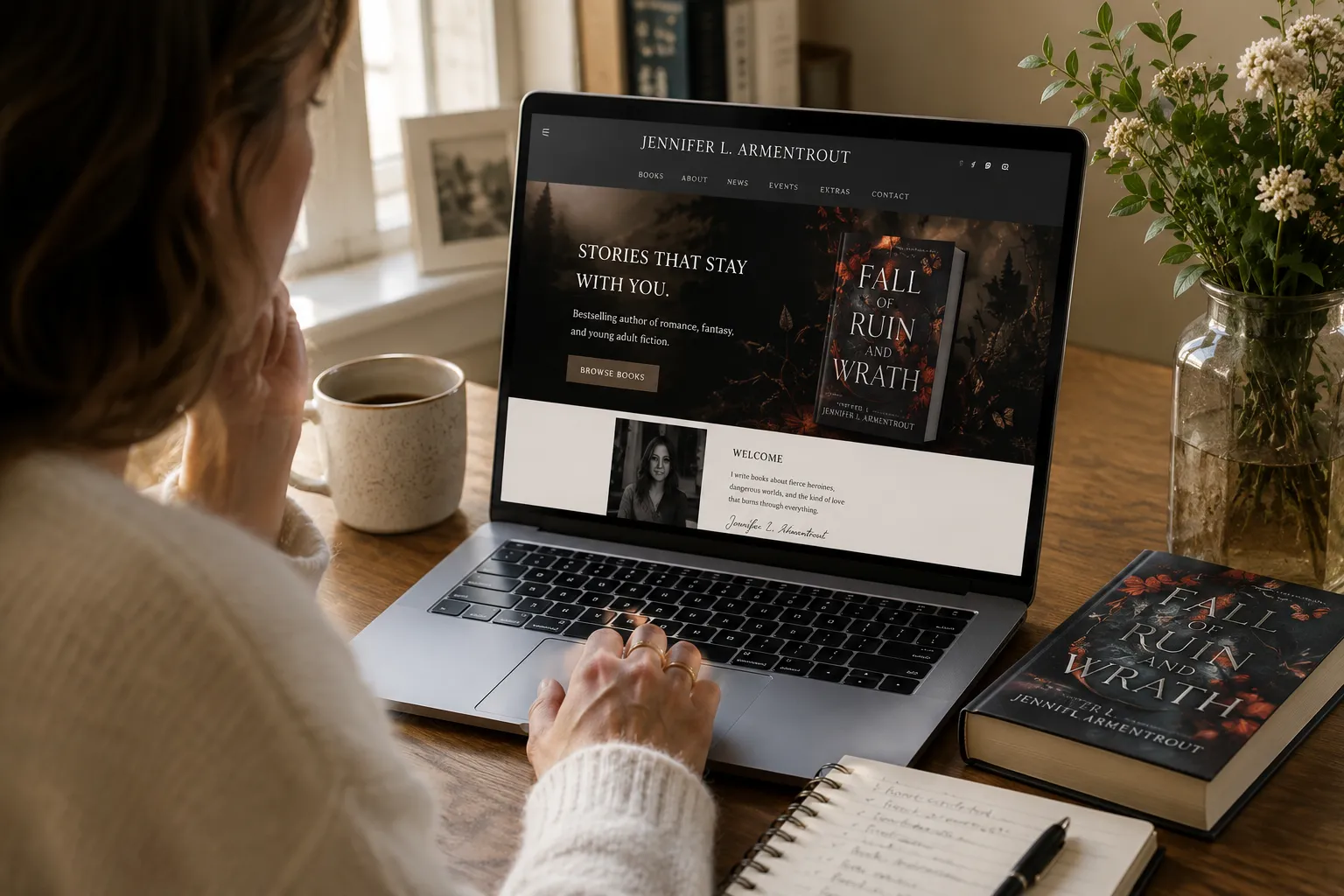
There are a few non-negotiables every author website should include: a homepage, author bio, book pages with buy links, an email signup, and contact information. Depending on your goals, you might also add events, a blog, reader resources, reviews, a media kit, or direct book sales.
But a great author website should do more than list your books. It should feel like you — your voice, your genre, your aesthetic, your world — and give potential readers an immediate sense of connection. Someone who discovers you through a book, a recommendation, an event, or a search should arrive and think: I want to know more.
The goal isn't to build the biggest or fanciest website. It's to create a home for your author brand: somewhere a curious visitor can become a reader, a reader can become a subscriber, and a subscriber can become a long-term fan.
Here's what to include — and how each part of your author website can help make that happen. For real examples of how these pieces come together, see how other authors have used their websites to merchandise books, grow their audience, and sell more copies in these case studies from real writers using Tertulia for Authors.
The essentials
What should an author website include?
Every author website should include five essentials: a homepage, an About section, book pages, an email signup, and contact information.
Beyond those basics, add features that support what you're actually trying to accomplish. An author promoting a new release might need an events calendar and a dedicated book landing page. A nonfiction author might prioritize speaking and media information. An indie author building a direct-to-reader business might focus on email, reader magnets, reviews, and direct book sales. Your website should grow with your author career — not become a collection of pages nobody needs.
What should an author website look like?
Your author website should visually reflect you and the kind of experience readers can expect from your books. A cozy mystery author, a business writer, and a dark paranormal romance novelist shouldn't have websites that look or feel the same.
Start with a consistent color palette, typography, and photography. Your book covers can provide useful visual cues, but don't feel obligated to make your entire website look like a single book — particularly if you write multiple series. Design for your author brand: the colors, images, language, and overall mood should help a new visitor understand something about you before they've even read your bio.
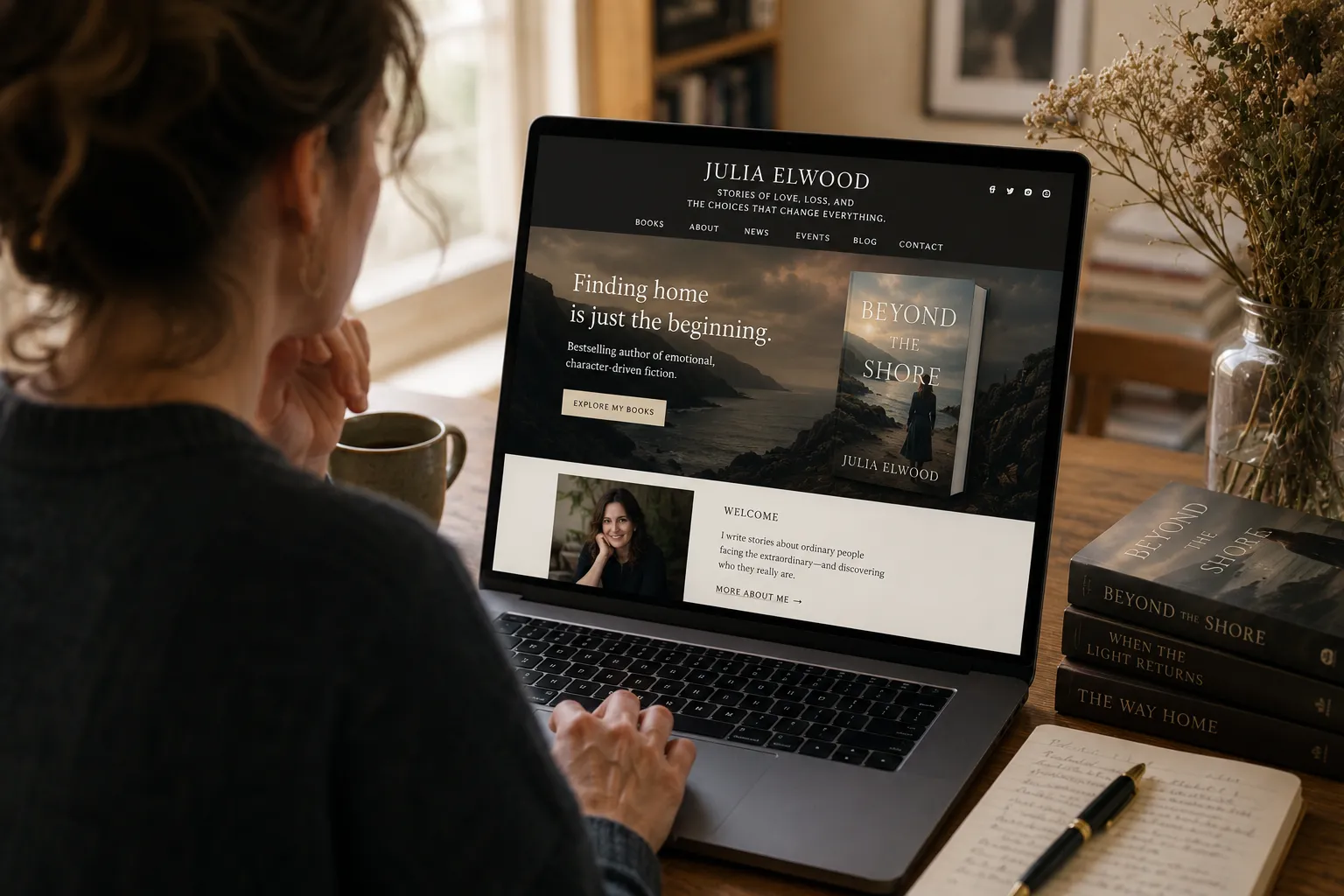
What should an author homepage include?
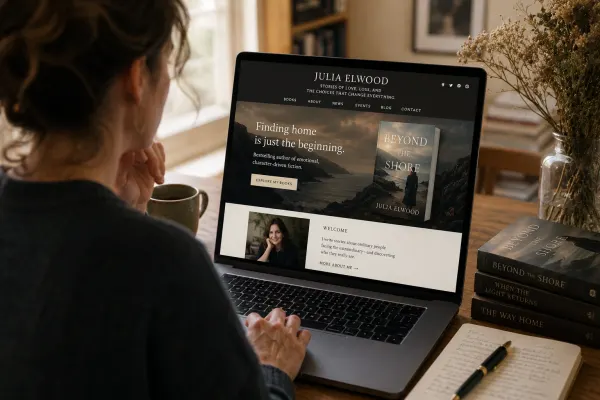
Your homepage should tell a new visitor who you are, what kind of books you write, and what they should do next — ideally within a few seconds.
Include your name, a clear headline or positioning statement, your latest or most important book, and one prominent call to action: Buy the Book, Explore My Books, Join My Reader List, or Get a Free Chapter. You can include a short author introduction, selected reviews, upcoming events, or additional books further down the page — but keep the top focused. Visitors shouldn't have to search for your books or figure out why they're on your site.
What should an author About page include?
An author About page should combine your story, a useful biography, a good author photo, and any credentials that matter to your readers.
For fiction authors, that might mean what you write, what inspires your stories, and a little personality beyond the books. For nonfiction authors, relevant expertise, professional credentials, media appearances, or lived experience may matter more. Don't treat the page as a chronological résumé — readers generally want to understand the person behind the books. Give them a reason to connect with you, then point them toward your books or email list. It's also helpful to include a shorter, third-person bio that event organizers, podcasters, booksellers, and journalists can easily copy and use.
What should an author book page include?
Every book should have its own page with the cover, title, description, formats available, reviews or endorsements, and clear purchase options.
You can make the page more useful with an excerpt, discussion questions, bonus material, awards, media coverage, or links to related books. If you write a series, clearly show the series name and reading order so a new reader knows where to start and an existing reader knows what's next. Giving each book its own URL also creates a useful destination for search engines, social posts, advertising, interviews, newsletters, and QR codes.
Tertulia for Authors can automatically create book pages from an ISBN, importing core book information so authors don't have to build every page from scratch.
How important are book reviews on an author website?
Reviews give potential readers confidence that your book is worth their time. For someone encountering you for the first time, reviews, endorsements, awards, and media praise provide valuable third-party validation.
You don't need dozens of quotes — feature a handful of your strongest, most specific reviews on individual book pages, and consider highlighting one or two on your homepage. Your review section should evolve as your book does: a newly published book may begin with advance endorsements and accumulate more reader, editorial, and media praise over time.
Tertulia for Authors automatically pulls in reviews associated with your book's metadata when available. You can add endorsements and media praise as your book gains traction, so your website reflects the growing conversation around your work.
How do you add an email signup to an author website?
Make your email signup easy to find throughout your website — not hidden on a separate newsletter page. Good locations include the homepage, book pages, blog posts, the footer, and a well-timed pop-up.
Give visitors a reason to subscribe rather than simply saying "Join my newsletter." Many authors use a reader magnet: a free chapter, bonus scene, prequel, short story, checklist, or other exclusive content that readers get in exchange for their email address.
Tertulia includes mailing-list building on every plan, with Reader Magnets available on Pro, so visitors can become subscribers without leaving your site.
Full guide → How to Build an Email List as an Author
Supporting pages
Does an author website need a blog?
No — but a useful one can improve discoverability and give readers more ways to find and engage with you. The key is writing about subjects that connect naturally to your books, expertise, genre, research, or readers' interests. A historical novelist might write about the period behind a novel; a business author might answer questions related to their expertise; a mystery writer might share research or behind-the-scenes material. A handful of useful, evergreen articles can be more valuable than publishing frequently just to keep a blog active.
Tertulia includes a built-in blog on every plan, so you can add articles whenever it makes sense for your platform.
Should authors include events on their websites?
If you do readings, signings, festivals, conferences, workshops, book-club visits, or virtual appearances, yes. An events page gives readers one reliable place to see where they can find you next. Include the date, location or virtual link, event description, and registration information where relevant. Remove or archive old events so visitors aren't greeted by a calendar that hasn't been updated in two years. For authors who appear regularly in public, upcoming events can also work well on the homepage.
Tertulia includes an events calendar on every plan.
Should authors sell books directly from their websites?
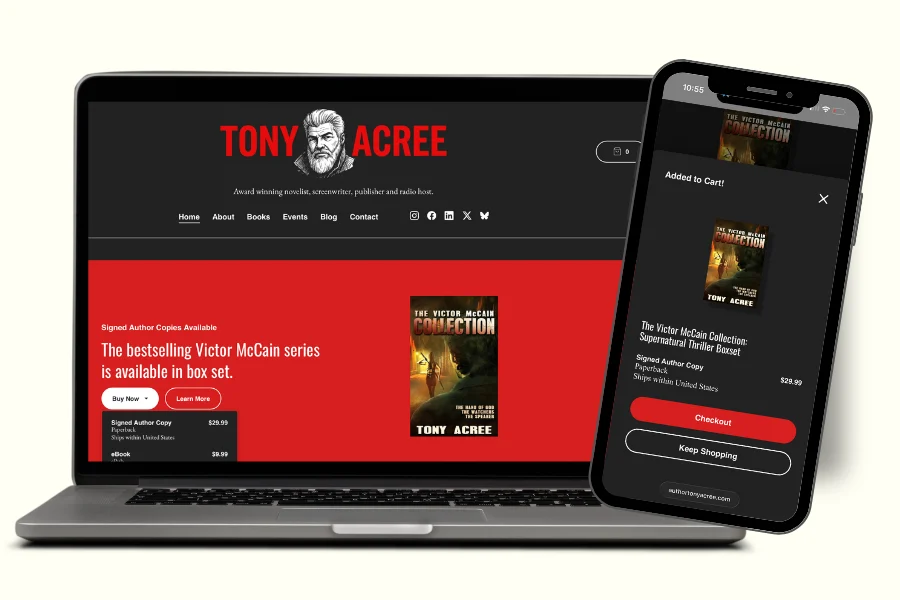
Direct sales are worth considering for any indie author who wants higher margins and a direct relationship with their readers. Instead of sending every visitor to a third-party retailer, you can give readers the option to purchase from you directly — which can be particularly effective for ebooks, audiobooks, signed copies, bundles, and special editions that a retailer can't replicate.
The benefit isn't only financial. When someone buys directly from you, you gain a customer relationship rather than knowing only that an anonymous sale occurred somewhere else.
Tertulia Pro allows authors to sell ebooks, audiobooks, and author-fulfilled print books — including signed copies and special editions — directly from their websites.
Full guide → Should Authors Sell Books Directly on Their Website? Pros, Cons & How to Start
What should an author contact page include?
Your contact page should make it easy for readers, media, booksellers, event organizers, podcasters, and other professionals to reach you — without requiring you to publish your personal email address publicly.
A simple contact form is enough for most authors. If you have separate representation for publicity, speaking, rights, or literary inquiries, list the appropriate contact for each. It's also worth keeping website contact-form messages delivered to a separate inbox rather than your primary email — authors have increasingly become targets for unsolicited pitches and scams, and one clean inbox separation makes that easier to manage.
Does an author need a media or press page?
Not every author does. But if you're actively pursuing publicity, speaking engagements, interviews, or podcasts, a simple media page or press kit makes it much easier for people to cover you. Consider including downloadable author photos, short and long bios, book covers, book descriptions, notable reviews or press mentions, and the appropriate contact information.
Nonfiction authors may also want a Speaking or Work With Me page describing their topics, credentials, and availability. Authors who regularly speak to book clubs can create a similar section with discussion questions, visit information, and other reader resources.
Technical foundations
Does an author website need to be mobile-friendly?
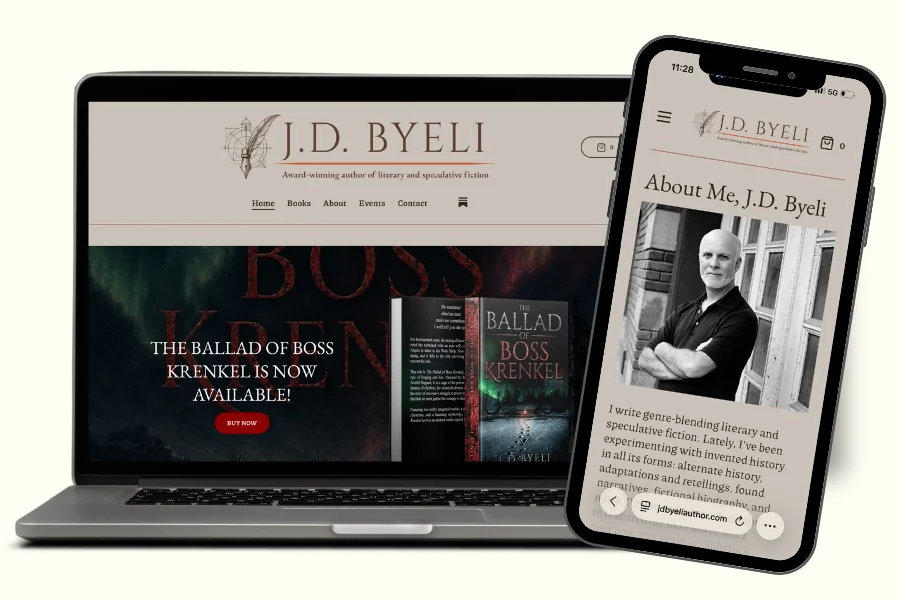
Yes — and it's worth checking carefully rather than assuming. Readers may discover you through social media, an email, a QR code at an event, or a podcast and visit your website immediately from their phone.
Check that your text is easy to read, menus are simple to navigate, book covers display well, signup forms work properly, and buttons are large enough to tap. If you sell books directly, test the entire purchase experience on your own phone, from discovering the book to completing checkout. Tertulia sites are built to be mobile-responsive from the start, so the experience works on any screen without extra configuration.
How do you make an author website easy to find on Google and AI search?
Good author website SEO starts with making it easy for search engines — and increasingly AI assistants — to understand who you are, what you've written, and what each page is about. Use your author or pen name consistently, give every book its own page, use book titles and relevant descriptive language naturally, and write clear page titles and descriptions.
If you blog, answer real questions related to your books, genre, or expertise rather than publishing generic content for SEO's sake. The technical foundation matters too: your website should be fast, secure with HTTPS, mobile-friendly, and structured so search engines can crawl and index it. Author SEO compounds over time — every new book, interview, event, review, or useful resource gives search engines another signal connecting your name, your books, and the subjects you write about.
Tertulia for Authors websites are designed to be optimized for both search engines and answer engines from the ground up — it's one of the questions the Tertulia customer care team hears most often from authors working to increase their visibility.
Does an author need their own domain name?
Yes — your own domain gives your author brand a permanent home on the web that you control, rather than building your entire presence on a platform someone else owns. Your author name or pen name is usually the best choice, something like janesmith.com, with a simple variation like janesmithbooks.com if your name isn't available. Keep it short, memorable, and easy to spell aloud — you may be giving it out at events, mentioning it on podcasts, and printing it in your books for years.
Tertulia supports Custom Domains on every plan, so you can connect your own domain name to your author site without any technical setup.
What tool should you use to build an author website?
There are three common approaches: use a general website builder, hire a web designer, or choose a platform built specifically for authors. The best option depends on your budget, technical comfort, available time, and what you want your website to do.
General builders like Squarespace, Wix, and WordPress offer flexibility, but you may need to configure books, email marketing, and ecommerce separately. Hiring a designer can give you a highly customized website, but typically costs more and may require outside help for future changes. An author-specific platform puts the tools authors use most — book pages, reviews, email capture, reader magnets, events, and book sales — in one place.
Tertulia for Authors can create the foundation of a website from a single book's ISBN, automatically importing book information and available reviews rather than requiring you to start with a blank template.
Full guide → Best Author Website Builders for Indie Authors (2026)
Author website checklist
Build an author website that's unmistakably yours
Start with your ISBN on Tertulia.
Start your free trialFree 14-day trial, no credit card needed






Tertulia for Authors Newsletter
Stay in the Know. Grow as an Author.
Practical ideas, publishing insights, and opportunities for authors — including a weekly invitation to our signature Office Hours expert panels. No Tertulia account required.